Donut Shellcode: Understanding the Loader and Testing Detection Claims
What Donut generates, how its managed-code loader works, and the evidence I need before describing any endpoint protection bypass.
Contents
Why I am revisiting Donut
My original post discussed Donut's 1.0 Cruller release and named Microsoft Defender, CrowdStrike Falcon, and Palo Alto Cortex XDR in a bypass claim. It did not include the product versions, policies, samples, or telemetry needed to support that claim.
I still find Donut useful for understanding how a loader changes the form in which code executes. I want to explain that behavior without turning a historical feature description into a promise about current endpoint products.
The original Cruller release article provides the historical context. The Donut repository documents the project maintained by TheWover and Odzhan.
Authorized testing only
Only run this against systems you own or have written permission to test.
What Donut generates
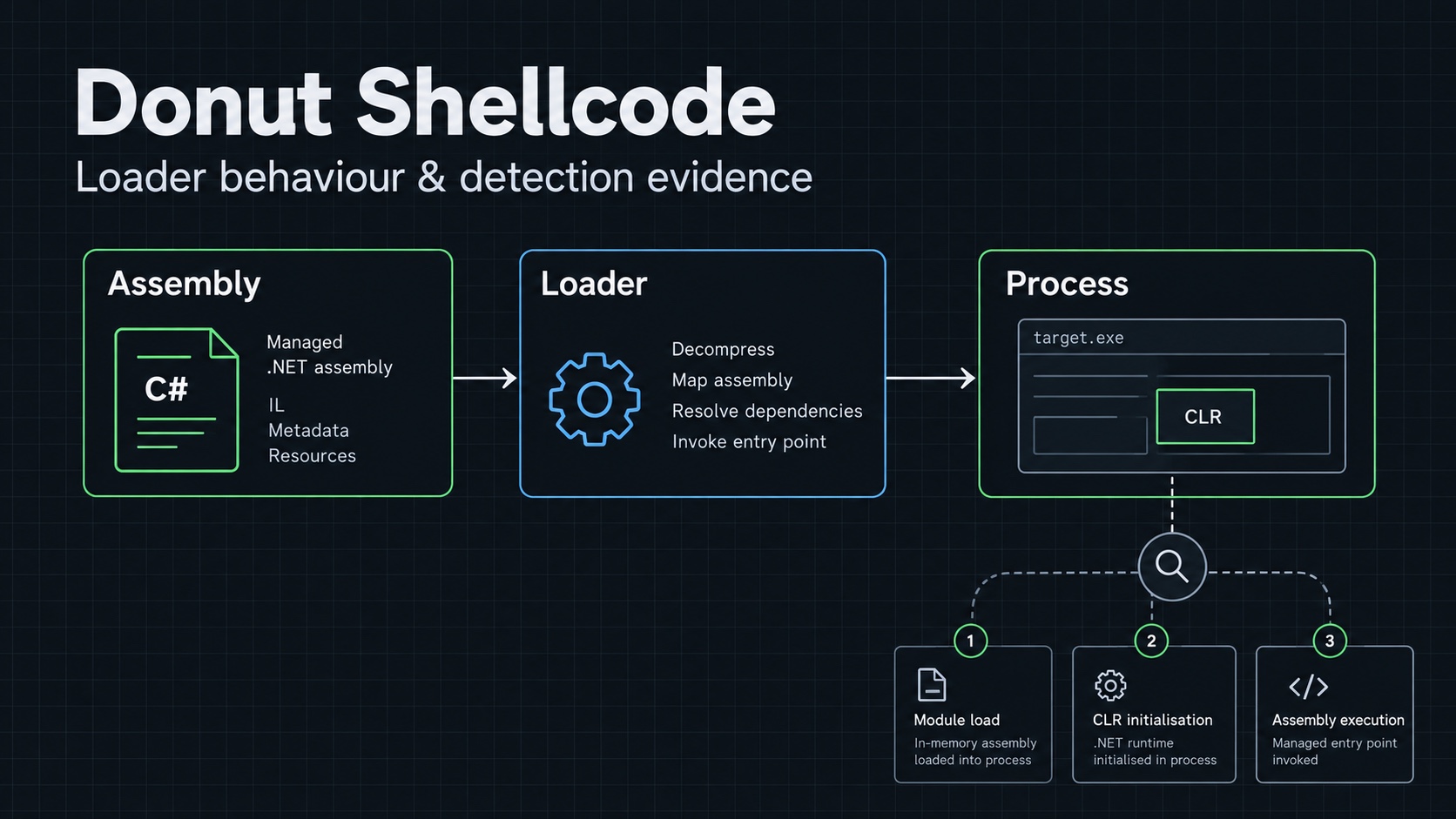
Donut creates position-independent shellcode that can load supported Windows payloads into memory. Its supported input types include managed assemblies and certain native executables, libraries, and scripts, subject to the loader's requirements.
The input file, generated loader, and program used to execute that loader are separate parts of the experiment. Generating a binary blob does not run it on an endpoint.
My earlier statement that Donut runs .NET code without the .NET runtime was incorrect. For managed assemblies, the loader uses CLR hosting interfaces. Loading the runtime inside a process is different from eliminating the runtime requirement.
The project's loader description explains that distinction and the separate handling for native inputs.
Build and inspect the tool
For a Linux build environment with Git, a C compiler, and Make available, the project documents this starting point:
git clone https://github.com/TheWover/donut.git
cd donut
git rev-parse HEAD
make
./donut -h
I record the commit before interpreting the help output. The old article was about version 1.0, while the repository can describe a later implementation. I keep historical release behavior separate from the version I actually build.
Windows builds use the project's documented compiler-specific makefiles. I follow those instructions for the selected checkout rather than assuming a Linux build command works unchanged in a Windows terminal.
Correct the input command
The original command contained a malformed executable name and used -f as if it selected the input path. In the documented command-line interface, -i selects the input, -o selects the output, and -f controls the output format.
For a harmless test executable that I have already built and inspected:
./donut -i ./lab-hello.exe -o ./lab-hello.bin
Here, lab-hello.exe is my own lab input. It is not a supplied sample or a download. I check local help for the chosen architecture and other input-specific requirements.
The intended artifact is the generated output file. Whether it loads successfully depends on the input, target process, architecture, runtime, and execution harness. I do not infer that from the generator completing.
What a detection test needs
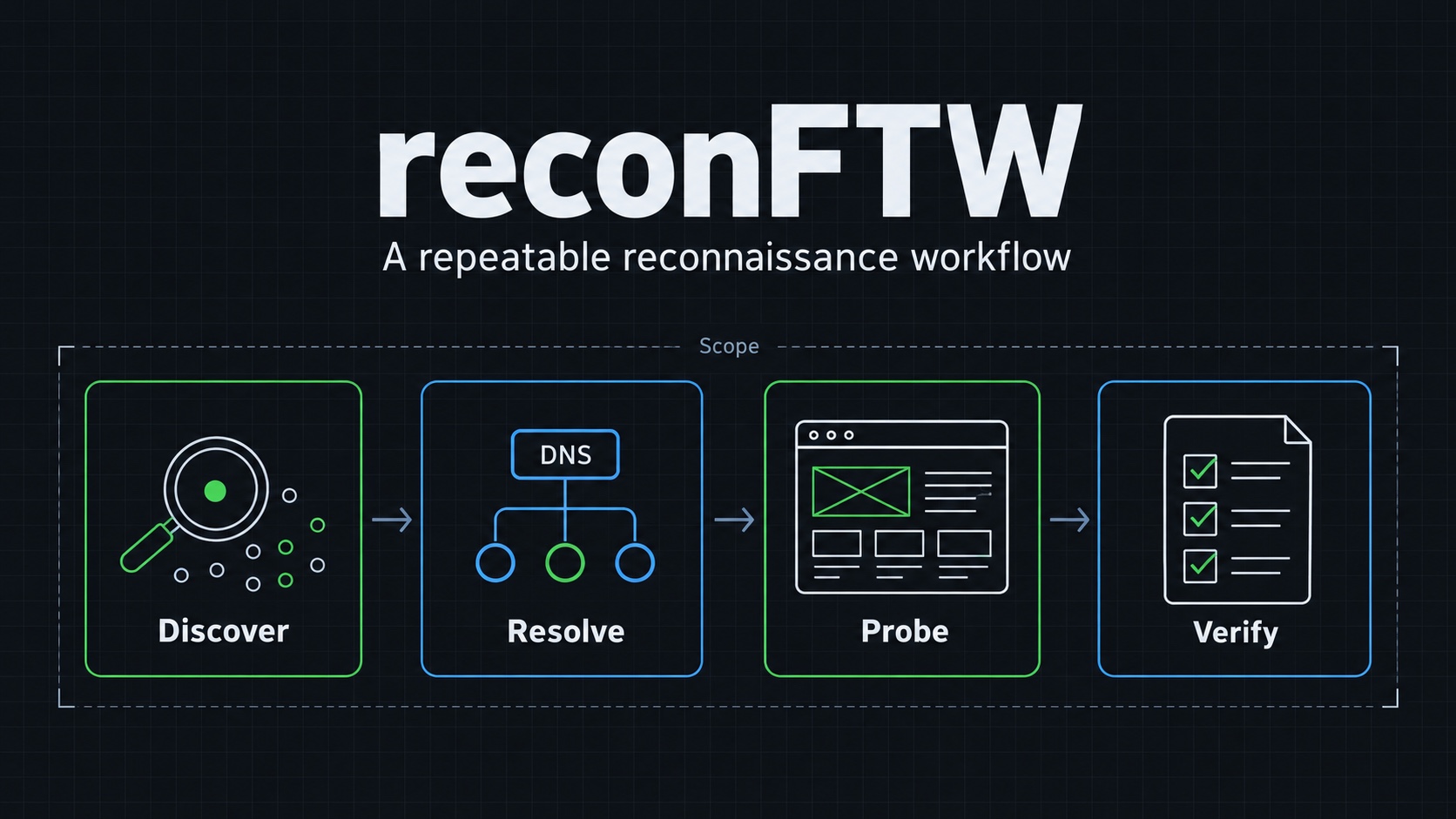
If I want to evaluate an endpoint product, I define the experiment before running it. I need enough detail to repeat the result:
| Item | What I record |
|---|---|
| Input | Source, build settings, hash, architecture, and intended behavior. |
| Donut | Version or commit and complete generator arguments. |
| Execution | Test harness, process identity, and user privileges. |
| Endpoint | Windows build, runtime availability, and relevant configuration. |
| Protection | Product and sensor versions, policy, and update state. |
| Observation | Whether generation, loading, execution, blocking, and alerting occurred. |
I use a baseline that performs the same harmless behavior without the wrapper. That helps distinguish a change caused by the loader from a difference in the payload or test environment.
I also separate prevention from detection. Code can execute and still generate an alert. A local console can look quiet while an event appears in a central investigation view. I check the relevant telemetry and observation window before describing the outcome.
What I look for as a defender
For a controlled test, I compare process creation, image loading, memory-related observations, and any child-process or network behavior the input is supposed to produce. Which signals are available depends on the installed collection stack.
A change in packaging does not remove the behavior of the underlying program. That is why I avoid judging the entire experiment by one file scan or one alert screen.
I end the test with the generated artifact, the actual execution result, and the matching telemetry. Without those, the accurate statement is that Donut generated a loader—not that it bypassed a named product.
Ask or Share Thoughts
Your message goes straight to me. Email is optional. The form records your IP address and browser information.