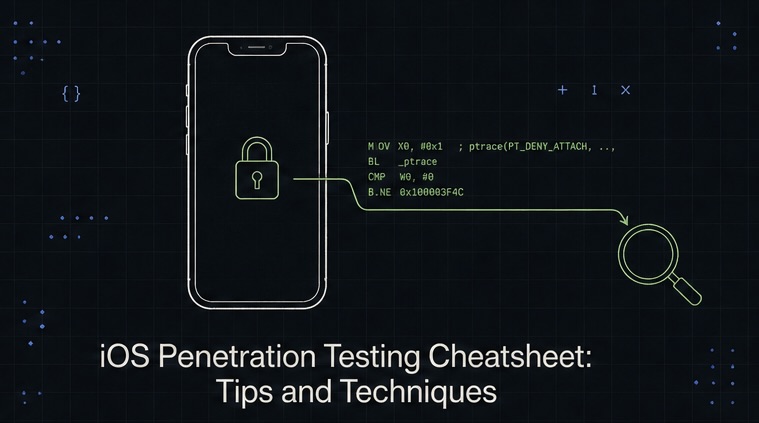
iOS Penetration Testing Cheatsheet
A hands-on guide to testing iOS app security using Frida, Objection, jailbreak detection bypass, SSL pinning, and runtime instrumentation—no fluff, just real techniques.
Contents
- Why iOS Penetration Testing Matters
- Prerequisites
- Setting Up Frida on iOS
- Common iOS Security Vulnerabilities
- Essential Tools
- Frida Scripts for Common Tasks
- Inspecting App Behavior Without Jailbreak
- Workflow: Testing an iOS App
- Common iOS App Vulnerabilities
- Performance Profiling with Instruments
- Tips & Best Practices
- Resources & Further Reading
Why iOS Penetration Testing Matters
iOS looks locked down. And it is—compared to Android. But that security is mostly about the OS layer. The apps running on top? They often store sensitive data in plaintext, don't validate SSL certificates properly, and trust user input way too much.
Testing iOS apps teaches you how to think like an attacker: how to find where data lives, how to intercept it, how to manipulate app logic at runtime. Unlike Android, iOS doesn't make this easy—but that's exactly why learning it will make you stand out.
This cheatsheet covers the tools, setups, and techniques I use in real engagements. You'll need a jailbroken device or a simulator, patience, and a solid grasp of runtime instrumentation.
Prerequisites
You'll need:
- An iOS device or simulator — preferably jailbroken for full access. A jailbroken iPhone 14 or older iPad works best. If jailbreaking isn't an option, some techniques work on non-jailbroken devices using Corellium (expensive) or iOS Sandbox Explorer (limited).
- A Mac — most iOS tools run on macOS. Alternatively, use a Linux VM, but Mac is much smoother.
- Frida — the runtime instrumentation toolkit. Works on jailbroken iOS and recent simulators.
- Objection — a wrapper around Frida that handles common pentesting tasks (SSL pinning bypass, method hooking, etc.).
- Xcode or Instruments — for debugging, profiling, and inspecting app behavior.
- iproxy and usbmuxd — to tunnel between your Mac and the iOS device over USB.
Jailbreaking is beyond this scope, but tools like Checkra1n, Palera1n, or Dopamine work depending on your iOS version. Check r/jailbreak or Checkra1n docs for current options.
Setting Up Frida on iOS
Frida is the foundation. It lets you hook methods, inspect memory, and modify app behavior at runtime.
On Your Mac
brew install frida
frida-ps --version  # verify install
On the iOS Device (Jailbroken)
Open Cydia and add the Frida repository:
- Open Cydia
- Tap Sources
- Tap Edit → Add
- Paste:
https://build.frida.re - Search for Frida and install
Or install from the terminal on your device (SSH access required):
ssh root@<device-ip>
apt-get update
apt-get install frida
Default password is alpine unless you changed it.
Verify Connection
Plug in your device and run:
frida-ps -Uai # List all apps on the device
If you see the list of apps, you're connected.
For Simulators (No Jailbreak Needed)
If you're using an iOS simulator on your Mac:
# Start the simulator
open -a Simulator

# Install Frida in the simulator (Homebrew method)
brew install frida --with-swift

# List apps on the simulator
frida-ps -i
The simulator runs locally, so setup is faster and you can test many techniques without jailbreaking.
Common iOS Security Vulnerabilities
1. Insecure Local Data Storage
Many apps store secrets in plaintext in the app sandbox:
Documents/— app-writable directory, often synced to iCloudLibrary/Preferences/plist files — world-readable by default- Keychain — the right way to store secrets, but many devs skip it
- NSUserDefaults — often used for "temporary" data that should be encrypted
Browse the app sandbox with:
ls -la /private/var/mobile/Containers/Data/Application/<app-uuid>/
2. SSL Pinning Bypass
Apps that pin SSL certificates prevent MITM proxying. Frida can disable it:
frida -U -f com.example.app -l ssl-pinning-bypass.js --no-pause
(More on scripts below.)
3. Jailbreak Detection Bypass
Apps detect jailbreak and refuse to run. Bypass with Frida hooks:
objection -g com.example.app explore
# Then in the REPL:
ios jailbreak disable
4. Method Hooking & Runtime Manipulation
Hook a method to see what it's doing or change its behavior:
// Frida script
var target = ObjC.classes.LoginViewController;
var originalCheck = target.$ownMembers["checkPassword:"];

Interceptor.replace(originalCheck, new NativeCallback(function(instance, password) {
    console.log("Password entered: " + password);
    return true;  // Always return true
}, "bool", ["pointer", "pointer"]));
5. Interception of HTTP/HTTPS Traffic
Even with SSL pinning, you can log requests at the app level:
// Frida script to log NSURLRequest
var NSURLRequest = ObjC.classes.NSURLRequest;
var URLSession = ObjC.classes.NSURLSession;

Interceptor.attach(URLSession['$ownMembers']['dataTaskWithRequest:completionHandler:'], {
    onEnter: function(args) {
        console.log("Request: " + args[2]);
    }
});
Essential Tools
Frida + Objection
Frida is raw power; Objection wraps it in a user-friendly CLI.
# Install Objection
pip3 install objection

# Start an Objection REPL session
objection -g com.example.app explore
Inside Objection:
# Bypass SSL pinning
ios sslpinning disable

# Bypass jailbreak detection
ios jailbreak disable

# List classes in the app
ios hooking list classes

# Hook a method
ios hooking set method_return "UIViewController" "viewDidLoad" true

# Dump the app's memory
memory dump heap "NSString" "output.bin"

# Read a file from the sandbox
file download /var/mobile/Containers/Data/Application/.../secrets.plist
Filza (File Manager)
Graphical file browser for the iOS sandbox. Browse, edit, and exfiltrate files:
# SSH to device and install
apt-get install filza
Or browse via SSH:
sshfs root@<device-ip>:/private /mnt/ios
ls -la /mnt/ios/var/mobile/Containers/Data/Application/
plutil (Property List Utility)
Read and edit .plist files (the iOS config format):
# On the device
plutil -p /var/mobile/Containers/Data/Application/.../Library/Preferences/com.example.app.plist

# On your Mac (if you copy the file)
plutil -p downloaded_prefs.plist
plutil -replace keyName -string "new_value" file.plist
Cycript (for older iOS versions)
Runtime JavaScript evaluation inside a running app. Less common now that Frida is powerful, but still useful:
cycript -p <app-name>
# Inside cycript:
UIApplication.sharedApplication().windows
Charles Proxy or Burp Suite
Intercept HTTP/HTTPS traffic even without SSL pinning bypass (useful for analyzing app behavior):
# Configure iOS device to use proxy
Settings > WiFi > [Network] > HTTP Proxy > Manual
Proxy: <your-mac-ip>
Port: 8888
Then in Charles or Burp, enable SSL proxying and inspect requests.
Corellium (Paid, but Powerful)
A remote iOS emulator that lets you test without hardware jailbreaking:
- Full iOS environment in the cloud
- Frida works out of the box
- Useful for testing multiple iOS versions
- Expensive (~$200–500/month)
Frida Scripts for Common Tasks
1. Bypass SSL Pinning
Save as ssl-bypass.js:
var urlSession = ObjC.classes.NSURLSession;
var config = ObjC.classes.NSURLSessionConfiguration;

// Swizzle the SSL pinning check
var Challenge = ObjC.classes.NSURLAuthenticationChallenge;
var Protection = ObjC.classes.NSURLSessionAuthChallengeDisposition;

Interceptor.attach(ObjC.classes.NSURLSession['$ownMembers']['didReceiveChallenge:completionHandler:'], {
    onEnter: function(args) {
        console.log("[*] SSL Challenge intercepted");
        // Always trust the certificate
        var completionHandler = new ObjC.Object(args[3]);
        completionHandler(1, null);  // NSURLSessionAuthChallengeUseCredential
    }
});

console.log("[+] SSL pinning bypass enabled");
Run it:
frida -U -f com.example.app -l ssl-bypass.js --no-pause
2. Bypass Jailbreak Detection
Save as jailbreak-bypass.js:
// Hook common jailbreak checks
var common_jb_checks = [
    "/Applications/Cydia.app",
    "/Library/MobileSubstrate/MobileSubstrate.dylib",
    "/usr/sbin/sshd",
    "/usr/bin/ssh"
];

var FileManager = ObjC.classes.NSFileManager;
var defaultManager = FileManager.defaultManager();

var checkFileExists = defaultManager['$ownMembers']['fileExistsAtPath:'];

Interceptor.replace(checkFileExists, new NativeCallback(function(instance, path) {
    var pathStr = ObjC.Object(path).toString();

    if (common_jb_checks.indexOf(pathStr) !== -1) {
        console.log("[*] Jailbreak file check blocked: " + pathStr);
        return false;  // File doesn't exist
    }

    return true;
}, "bool", ["pointer", "pointer"]));

console.log("[+] Jailbreak detection bypass enabled");
3. Log All HTTP Requests
Save as log-requests.js:
var NSURLRequest = ObjC.classes.NSURLRequest;
var NSString = ObjC.classes.NSString;

Interceptor.attach(ObjC.classes.NSURLConnection['$ownMembers']['sendSynchronousRequest:returningResponse:error:'], {
    onEnter: function(args) {
        var request = new ObjC.Object(args[2]);
        var url = request.$ownMembers['_url'];
        console.log("[+] Request: " + url);
    }
});

console.log("[+] HTTP logging enabled");
4. Hook a Specific Method
To intercept and log a login method:
var LoginVC = ObjC.classes.LoginViewController;

Interceptor.attach(LoginVC['$ownMembers']['verifyCredentials:password:'], {
    onEnter: function(args) {
        console.log("Username: " + ObjC.Object(args[2]));
        console.log("Password: " + ObjC.Object(args[3]));
    },
    onLeave: function(retval) {
        console.log("Result: " + retval);
    }
});
Then call it in Objection:
objection -g com.example.app explore
# Then in REPL:
ios hooking set method_return "LoginViewController" "verifyCredentials:password:" true
Inspecting App Behavior Without Jailbreak
If you don't have a jailbroken device, you can still test on non-jailbroken iOS or simulators:
Xcode Debugger
Attach Xcode to a running app:
- Plug in the device
- In Xcode, go Debug > Attach to Process
- Select the app
- Set breakpoints and inspect variables
Network Link Conditioner
Simulate poor network conditions to see how the app handles failures:
# Download from Apple
# Network Link Conditioner.prefPane
# Then use to throttle, delay, or drop packets
iOS Sandbox Explorer (No Jailbreak Required)
Injects a lightweight shell into any iOS app:
# On your Mac
sandboxexplorer com.example.app
# Opens a web UI to browse the app's sandbox
Workflow: Testing an iOS App
Here's my step-by-step process:
1. Reconnaissance
# List all apps
frida-ps -Uai

# Get app bundle ID
# Check App Store or use MachO parser
2. Install the App
# If you have the IPA
ios-deploy -b app.ipa

# Or use Xcode
xcode-select --install
3. Bypass Defenses
objection -g com.example.app explore

# In REPL:
ios sslpinning disable
ios jailbreak disable
4. Explore the Sandbox
# In Objection:
file ls /var/mobile/Containers/Data/Application/

# Download interesting files
file download /var/mobile/Containers/Data/Application/.../plist_file
5. Hook Key Methods
// Create a Frida script
// Hook authentication, data processing, or crypto functions
# Run the script
frida -U -f com.example.app -l my_script.js --no-pause
6. Intercept Network Traffic
# Start Charles or Burp
# Configure the device to use the proxy
# Monitor and modify requests
7. Document Findings
Note: - Unencrypted data at rest - Weak SSL/certificate validation - Hardcoded secrets or API keys - Bypassable authentication - Input validation issues - Information disclosure
Common iOS App Vulnerabilities
| Vulnerability | Detection | Fix |
|---|---|---|
| Plaintext Storage | Browse sandbox, find .plist or .db files with sensitive data |
Use Keychain or Encrypted Core Data |
| Weak SSL Pinning | Frida bypass works easily | Implement robust pinning with fallback verification |
| Hardcoded Secrets | Strings dump, reverse the app with Ghidra | Use remote config or OAuth |
| Jailbreak Detection Bypass | Frida hooks disable checks | Degrade functionality gracefully instead of blocking |
| Insecure Deserialization | Hook serialization methods | Validate and sanitize all deserialized data |
| Insufficient Logging | Attach debugger, inspect memory | Don't log PII; sanitize logs |
| Unvalidated Input | Send malformed requests via Burp | Validate on both client and server |
| Weak Crypto | Reverse app, inspect crypto calls | Use standard libraries (CommonCrypto, CryptoKit), random IVs |
Performance Profiling with Instruments
Find memory leaks, slow functions, and battery drain:
- In Xcode, open Instruments (
Cmd+I) - Choose a profiling template:
- System Trace — overall performance
- Allocations — memory leaks
- Core Data — database queries
- Network — HTTP/HTTPS traffic
- Record while using the app
- Look for anomalies: unexpected memory spikes, long waits, excessive network calls
Tips & Best Practices
- Start with the simulator. No jailbreak needed, faster iteration.
- Use iCloud backup files. If the app syncs to iCloud, check
~/Library/Mobile Documents/on macOS. - Monitor system logs. Run
log stream --level debugon the device to see app crashes and warnings. - Check the IPA structure. Unzip the
.ipa(it's a ZIP file) and inspect the binary withotoolor Ghidra. - Test on multiple iOS versions. Behavior can differ; older iOS versions may have weaker protections.
- Don't trust the client. Always assume the app can be hacked. Validate everything server-side.
Resources & Further Reading
- Frida Documentation
- Objection GitHub
- OWASP Mobile Top 10
- iOS Security Guide (Apple)
- Checkra1n Jailbreak
- VirusTotal (app analysis)
Quick Reference: Objection Commands
ios jailbreak disable              # Bypass jailbreak detection
ios sslpinning disable             # Bypass SSL certificate pinning
ios hooking list classes           # List all Objective-C classes
ios hooking set method_return <class> <method> <value>  # Hook & override return value
memory dump heap "NSString" out.bin # Dump heap for sensitive strings
file ls <path>                     # List files in directory
file download <path>               # Download a file
file upload <local> <remote>       # Upload a file to device
Stay ethical. Test only on apps and devices you own or have explicit permission to test. iOS security testing is a skill; respect its power.
Ask or Share Thoughts
Your message goes straight to me. Email is optional. The form records your IP address and browser information.