SNMP Exposure: Using Nmap and snmpwalk to Check Access
How I check SNMP exposure, interpret UDP scan results, and distinguish read access from dangerous management permissions.
Contents
Summary
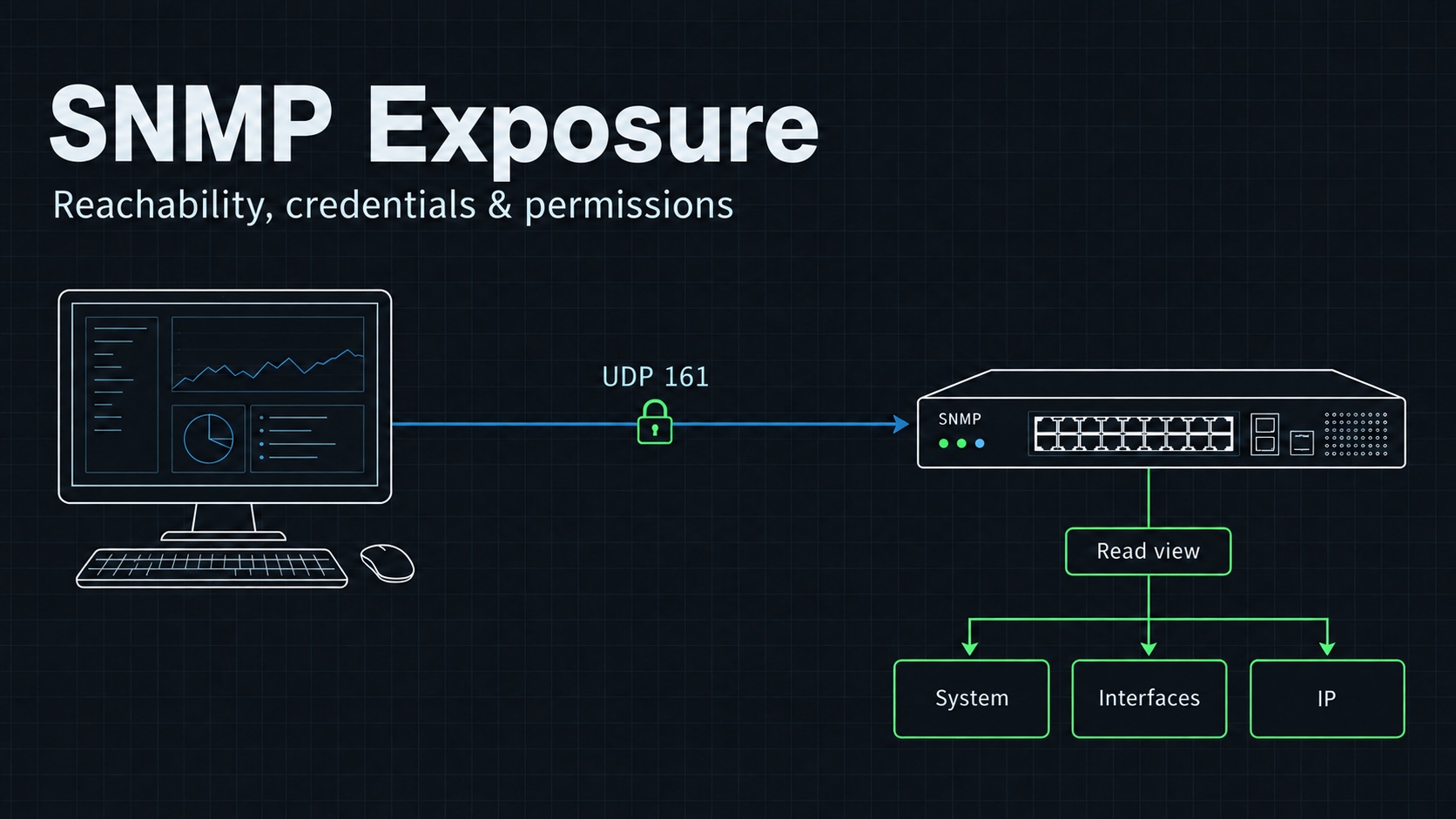
SNMP helps administrators monitor network equipment and servers. I use snmpwalk to inspect the information an agent exposes and Nmap to check whether its network service is reachable.
The security issue is unnecessary exposure or excessive access. SNMP being enabled does not make a device vulnerable by itself. I need to know who can query it, which credentials it accepts, and what those credentials permit.
My original post used public and private as shorthand for read-only and read-write access. Those are common historical community names, not permissions built into the words. The device configuration decides what each community can do.
How it works
An SNMP agent exposes managed values through object identifiers, or OIDs. A management information base, or MIB, gives those identifiers names and meaning.
snmpwalk uses GETNEXT requests to traverse a subtree. It reads values; it does not change device configuration. A write-enabled community can have dangerous permissions, but running snmpwalk with it is still a read operation. The Net-SNMP manual explains this traversal.
Common UDP ports have different roles:
| Port | Usual role |
|---|---|
| 161 | Requests to an SNMP agent. |
| 162 | Notifications such as traps, received by a monitoring system. |
A monitored device does not need to listen on both ports. I check the role of the host before interpreting the scan.
Conditions and affected versions
This is a configuration issue across products rather than one affected software release. SNMPv1 and SNMPv2c use community strings without providing confidentiality for those strings on the network. Their exposure needs particular care.
SNMPv3 supports authenticated and encrypted operation, but choosing version 3 alone is insufficient. I check the security level and permitted view. For management traffic, I prefer authenticated encryption through authPriv with algorithms supported by the device and current organizational policy.
The Net-SNMP SNMPv3 guide describes the security levels. I do not copy its older algorithm examples without checking the current device capabilities.
Reproduce in a lab
Authorized testing only
Only run this against systems you own or have written permission to test.
I need a lab device with SNMP enabled, its approved credentials, Nmap, and the Net-SNMP command-line tools. In these examples, 192.168.1.1 is a placeholder for that device. I check that it belongs to the lab before running anything.
First, I record the tool versions:
nmap --version
snmpwalk --version
Check reachability
For a device acting as an SNMP agent:
sudo nmap -sU -p 161 192.168.1.1
An open|filtered result is inconclusive. Nmap did not receive enough information to distinguish an open UDP port from a filtered one. It is not proof that the community string works or that an SNMP agent answered. See Nmap's UDP scan documentation.
If I am assessing a trap collector, I check port 162 separately. I do not expand the scan to an entire network just because the original command accepted a range.
Read a small subtree
For a lab agent deliberately configured with the community public:
snmpwalk -v 2c -c public -On 192.168.1.1 1.3.6.1.2.1.1
This starts with the system subtree. -On prints numeric OIDs, which avoids depending on locally installed MIB names for interpreting the command itself.
I inspect which system values are returned and whether this source should be allowed to retrieve them. I avoid beginning with the entire OID tree on a production device. A small read gives me a cleaner baseline and less load.
Impact
Read access can reveal device descriptions, interface information, and other operational details exposed by the configured view. The exact data varies by agent and MIB support.
Write access is a separate concern. Depending on the permitted OIDs, it may allow changes to device behavior. I establish that permission through configuration review or a separately agreed test. I do not infer it from a community named private.
Detection
I look for queries from unexpected management sources, repeated requests across many OIDs, and failed authentication events where the device records them. Network visibility and device logging differ, so I verify what the environment can observe during a controlled test.
A timeout is not a detection result. It can mean packet filtering, a wrong community, an unsupported version, or an unreachable agent.
Fix and mitigation
I restrict SNMP to approved management networks, remove unused communities, and use the smallest read view required for monitoring. I remove write permissions when they are unnecessary.
Where the device supports it, I migrate monitoring to SNMPv3 with authentication and privacy. I then retest from both an approved monitoring source and a source that should be denied. A useful fix preserves monitoring while closing the access I did not intend to grant.
Ask or Share Thoughts
Your message goes straight to me. Email is optional. The form records your IP address and browser information.